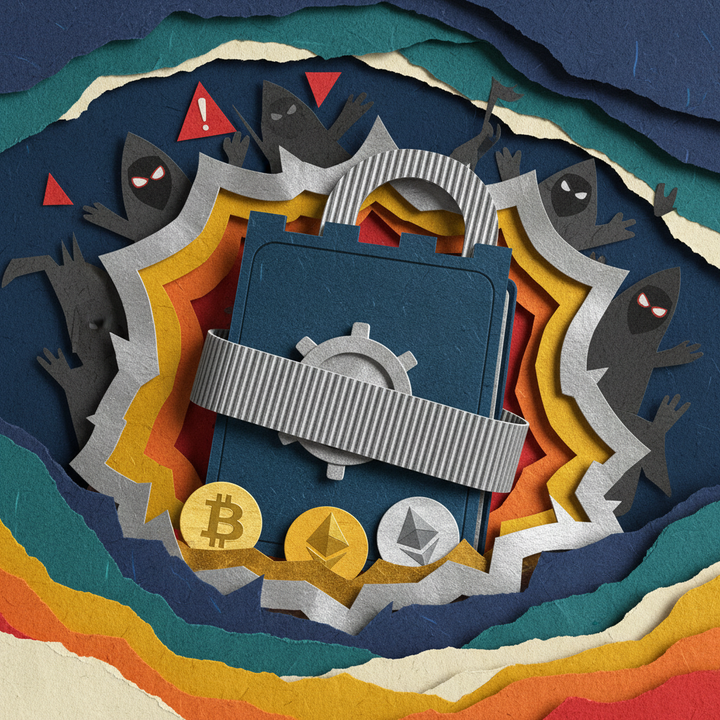
Complete Crypto Wallet Guide 2026: Hot vs Cold Wallets, Security & Hacking Defense
With $3.35B stolen in 2025, wrench attacks up 75%, and Bybit's $2.1B hack, choosing the right crypto wallet is critical. Learn hot wallet vs cold wallet differences, seed phrase security, 2FA setup, and proven defense strategies.
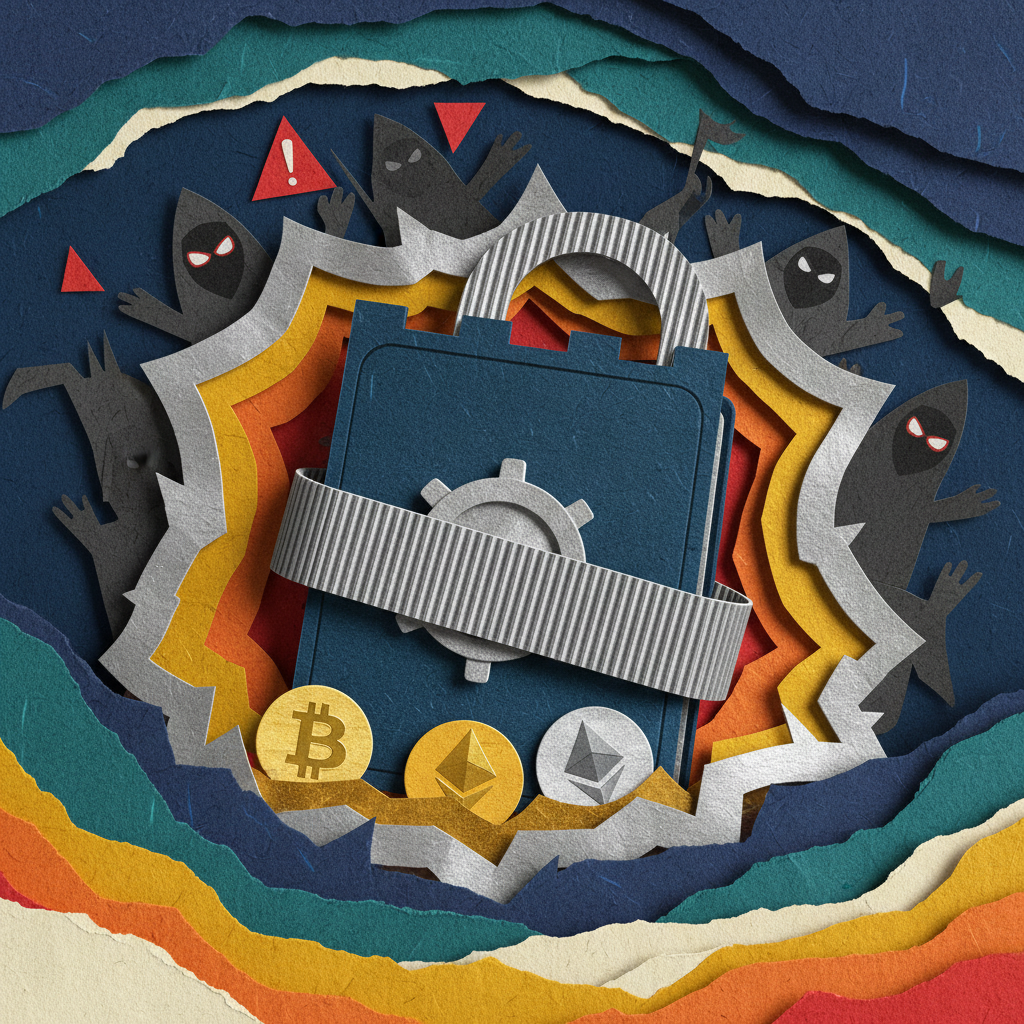
In 2025, cryptocurrency hacks drained $3.35 billion (a 37% surge from the prior year) while wrench attacks skyrocketed 75%—making your first line of defense clear: choosing the right wallet.
The February 2025 Bybit exchange breach, where attackers stole $1.5 billion worth of Ethereum from cold wallet reserves, stands as the largest single crypto heist in history. That same year saw Korea's Upbit lose $445 million in Solana assets through unauthorized withdrawals, while 72 wrench attacks worldwide targeted victims through physical violence rather than code exploits. According to CertiK's security report, Web3 ecosystems suffered 630 security incidents in 2025, with 59% stemming from access control failures rather than smart contract bugs or protocol vulnerabilities.
Against this threatening backdrop, cryptocurrency newcomers face a critical question: "Where should I safely store my coins?" Should you leave them on an exchange? What's the difference between hot and cold wallets? Which hardware device offers the best protection? This comprehensive 2026 guide answers every question with updated security protocols reflecting the latest threat landscape.
Key Takeaways
- Wallet Types: Hot wallets are internet-connected for convenience but carry hacking risks; cold wallets are offline hardware devices providing maximum security with slower transaction speeds.
- Custody Models: Custodial wallets (exchanges) control your private keys; non-custodial wallets give you direct ownership, embodying "Not your keys, not your coins."
- 2025 Breach Statistics: $3.35B stolen (37% increase), Bybit's $2.1B hack, 75% surge in physical wrench attacks—the worst security year on record.
- Beginner Strategy: Start with free hot wallets (MetaMask, Trust Wallet) for small amounts, then add hardware cold wallets (Ledger, Trezor) once holdings exceed $1,000.
- Seed Phrase Security: These 12-24 word recovery phrases are master keys—never store digitally, always write on paper or metal backup plates.
- 2FA Essential: Enable two-factor authentication on all exchange accounts, preferring authenticator apps or hardware keys over SMS.
- Official Purchases Only: Buy hardware wallets exclusively from manufacturer websites; third-party sellers risk firmware tampering.
What Is a Cryptocurrency Wallet and Why Do You Need One?
A cryptocurrency wallet is software or hardware that manages your digital assets on blockchain networks. Technically, wallets don't "store" coins—those exist on the blockchain itself. Instead, wallets manage the cryptographic key pairs (public and private keys) that grant access to your blockchain assets.
Think of it like a bank account: your public key is the account number anyone can use to send you deposits, while your private key is the ATM PIN that authorizes withdrawals and transactions. The critical difference? Banks let you reset forgotten passwords with ID verification, but blockchain's decentralized nature means losing your private key permanently destroys access to your assets.
The February 2025 Bybit hack demonstrated this principle brutally. Despite using multisig cold wallet protection, attackers who compromised access controls stole $1.5 billion. Security experts traced the breach to access control failures—proving that even the safest wallet technology fails when private key management breaks down. Conversely, properly secured private keys protect your assets even if exchanges collapse or governments attempt seizure. This is why the crypto community's core principle remains: "Not your keys, not your coins."
Hot Wallets vs Cold Wallets: The Security-Convenience Tradeoff
Cryptocurrency wallets divide into two categories based on internet connectivity: hot wallets and cold wallets. Understanding this distinction means grasping the fundamental tradeoff between security and convenience.
Hot Wallets maintain constant internet connection, appearing as smartphone apps, browser extensions, or desktop software. Popular examples include MetaMask, Trust Wallet, Phantom, and Exodus. Their primary advantage is instant access—you can stake in DeFi protocols, purchase NFTs, or send coins with just a few clicks.
But convenience comes at a cost: constant online exposure creates vulnerability to malware, phishing attacks, browser exploits, and keyloggers. CertiK data from H1 2025 showed phishing attacks alone drained $411 million, mostly from hot wallet users who entered seed phrases on fake websites or signed malicious smart contracts.
Cold Wallets store private keys on physical hardware devices completely isolated from the internet. Leading models include Ledger Nano S Plus, Ledger Nano X, Trezor Model T, and Coldcard Q. These USB-sized devices contain secure chips (Secure Elements) that never expose private keys outside the device.
Even during transactions, you connect the cold wallet to a computer or smartphone only to sign transactions, then immediately disconnect—eliminating remote hacking vectors entirely. Cobo's 2026 Cold Wallet Guide designates cold storage as the "gold standard" for protecting digital assets from cyber attacks. Institutional investors and high-net-worth individuals holding millions in cryptocurrency consider cold wallet storage mandatory practice.
However, cold wallets have drawbacks: initial costs ranging $50-$300, physical device requirements for every transaction (incompatible with rapid trading), and recovery dependency on seed phrase backups if hardware fails or gets lost.
Custodial vs Non-Custodial Wallets: Who Controls the Keys?
Beyond hot/cold distinctions, wallets divide by private key ownership into custodial and non-custodial models. This classification determines who ultimately controls your assets.
Custodial Wallets delegate private key management to exchanges or service providers. Storing coins on centralized exchanges (CEX) like Upbit, Bithumb, Binance, or Coinbase represents the typical custodial model. Users log in with email/password to manage assets, but the exchange actually holds blockchain private keys.
Advantages include simplicity, password recovery via email verification, instant inter-exchange transfers, and low fees. For beginners, the low entry barrier makes initial cryptocurrency purchases straightforward. However, the fatal flaw is simple: "Not your keys, not your coins." If exchanges get hacked (Bybit's case), go bankrupt (FTX's collapse), or freeze accounts under government orders, users may permanently lose access to their holdings.
Non-Custodial Wallets give users direct private key ownership and management. Software wallets like MetaMask and Trust Wallet, plus hardware wallets like Ledger and Trezor, fall into this category. The 12-24 word seed phrase generated during wallet creation serves as the master key for private key recovery.
The greatest advantage is complete self-custody: you can move assets anytime without third-party permission, immune to exchange hacks or bankruptcies. Non-custodial wallets also enable direct connection to DeFi protocols, NFT marketplaces, and Web3 dApps for full blockchain ecosystem participation. Disadvantages include irrecoverable seed phrase loss and complete user responsibility for mistakes like sending to wrong addresses or signing phishing transactions.
The November 2025 Upbit hack affected exchange hot wallets, but users with non-custodial hardware wallets escaped unscathed. Conversely, countless individuals have lost entire fortunes by storing seed phrases in cloud storage that got compromised. Non-custodial wallet users must exercise absolute vigilance over seed phrase security.
2025 Crypto Hack Statistics Demonstrate Wallet Security's Critical Importance
2025 will be remembered as cryptocurrency security's worst year on record. CertiK's Skynet report documented 630 Web3 security incidents totaling $3.35 billion in losses—a 37% increase from the previous year. Shockingly, reaching the $2.1 billion threshold took 214 days in 2022 but only 142 days in 2025.
The single largest incident occurred February 21, 2025, when Bybit exchange hackers stole $1.5 billion worth of Ethereum (approximately $2.1 billion). Despite employing multisig cold wallet protection, Bybit fell victim to access control failures—a vulnerability security experts identified as 2025's primary threat vector, accounting for 59% of total losses rather than smart contract bugs or protocol flaws.
H1 2025 alone saw $1.707 billion stolen through wallet access compromises and $411 million through phishing attacks. Typical phishing methods include fake airdrop announcements, emails impersonating legitimate projects, and fraudulent admin messages on Discord or Telegram—all designed to lure users to spoofed websites where they enter seed phrases or sign malicious smart contracts.
Even more concerning is the 75% surge in wrench attacks. Unlike cyber intrusions, wrench attacks employ physical violence, threats, or kidnapping to forcibly extract private keys from cryptocurrency holders. CertiK confirmed 72 wrench attacks globally in 2025, up 75% from 2024. Several cases involved victims who flaunted high returns on social media, making themselves targets.
November brought another major incident when $445 million in Solana-based assets were abnormally withdrawn from Upbit. Security analysis by Igloo Corporation suggested attackers penetrated Upbit's internal systems to gain hot wallet access, reinforcing warnings against long-term storage on centralized exchanges.
These statistics teach clear lessons: First, never store large amounts on exchanges long-term. Second, use non-custodial wallets but never store seed phrases digitally. Third, defend against phishing by bookmarking official URLs and avoiding unknown links. Fourth, avoid flaunting crypto holdings on social media to prevent becoming wrench attack targets.
Step-by-Step Wallet Selection Guide for Beginners
Cryptocurrency newcomers should select wallets progressively based on holdings and investment goals.
Stage 1: Exchange Accounts for Initial Entry ($100-$500 holdings)
When first purchasing small cryptocurrency amounts, domestic exchange accounts like Coinbase, Kraken, or Gemini offer maximum convenience. Fiat on/off-ramps are simple, interfaces are user-friendly, and customer support is available. However, mandatory security measures include enabling two-factor authentication (2FA), using strong unique passwords, and regularly reviewing withdrawal address whitelists. This stage focuses on market familiarization and basic trading experience.
Stage 2: Free Hot Wallets for Self-Custody Experience ($500-$1,000 holdings)
Once holdings exceed $500, experimenting with non-custodial hot wallets is recommended. MetaMask serves Ethereum and EVM chains, Phantom handles Solana, and Trust Wallet supports multiple chains. Install browser extensions or mobile apps, write your seed phrase on paper, and store it securely—never screenshot or save to cloud storage.
Hot wallets unlock the Web3 ecosystem: trading on decentralized exchanges like Uniswap and PancakeSwap, lending on Aave and Compound, and purchasing NFTs. Start with small test transactions, always verify the first and last 6 characters when copying addresses, and build careful habits.
Stage 3: Hardware Cold Wallet Introduction ($1,000+ holdings)
Once holdings surpass $1,000, seriously consider hardware cold wallet investment. Ledger Nano S Plus (~$80) offers excellent value, while Ledger Nano X (~$180) adds Bluetooth for mobile connectivity. Trezor Model One (~$70) features open-source firmware for transparency, and Trezor Model T (~$250) provides touchscreen usability. For Bitcoin-only maximum security, Coldcard Q (~$300) is recommended.
Purchase exclusively from official websites (ledger.com, trezor.io), avoiding Amazon or second-hand platforms. Upon delivery, verify tamper-evident seals and holograms remain intact, then update firmware to the latest version. Store seed phrases separately from the device—consider metal backup plates like Cryptosteel Capsule for fire/water protection.
Stage 4: Hot + Cold Wallet Hybrid Strategy ($5,000+ holdings)
High-net-worth holders employ hybrid strategies combining both wallet types. Keep 5-10% needed for active trading and DeFi in hot wallets, storing the remaining 90-95% long-term holdings in cold wallets. For example, with $10,000 total crypto, maintain $1,000 in MetaMask and $9,000 in Ledger.
Advanced users further distribute assets across multiple cold wallets or employ multisig (multi-signature) wallets requiring 2+ keys for transaction approval. Platforms like Gnosis Safe (now Safe) facilitate team or DAO treasury management with sophisticated multisig controls. For deeper insights into advanced security strategies, check out Spoted Crypto Premium Analysis for institutional-grade protection methods.
Seed Phrase Management: The Most Critical 12 Words You'll Ever Write
Creating your first non-custodial wallet generates a seed phrase (recovery phrase) consisting of 12 or 24 English words. These appear random but follow the BIP-39 standard, selecting from a 2,048-word dictionary to mathematically derive all wallet private keys.
Seed phrases literally are your wallet's master key. With this phrase alone, you can fully recover assets after deleting wallet apps, changing phones, or even losing hardware wallets. But the reverse holds equally true: anyone obtaining your seed phrase instantly gains total access to steal all cryptocurrency. Blockchain anonymity makes stolen asset recovery essentially impossible.
Ledger Academy's security checklist establishes these seed phrase golden rules:
- Never store digitally: Photos, screenshots, note apps, email, cloud storage (Google Drive, Dropbox), or password managers create malware/hacking exposure points.
- Write on paper by hand: Use the recovery sheet provided with your wallet, writing carefully with ballpoint pen (pencil fades over time), double-checking spelling and order.
- Distribute storage locations: Single-location storage risks fire, flood, or theft; maintain at least 2 copies in physically separated secure locations (home safe, bank safe deposit box, trusted family member's home).
- Consider metal backups: Paper burns and dissolves; for large holdings, products like Cryptosteel Capsule, Billfodl, or ColdTi engrave seed phrases on stainless steel for extreme environment preservation.
- Share with no one: Legitimate exchanges, wallet support, or project teams never request seed phrases. Any such request is phishing—no exceptions.
Some advanced users employ cryptographic techniques like Shamir's Secret Sharing to split seed phrases into multiple shards, requiring a threshold number (e.g., 3 of 5 shards) for reconstruction. This protects against single-location compromise while maintaining recovery capability.
Hot Wallet Security Hardening: Practical Defense Tips
Hot wallets offer convenience but demand rigorous security practices to counter online threats.
1. Bookmark and Use Only Official Websites
90% of phishing attacks start with fake websites. Bookmark official URLs for frequently used platforms like MetaMask, Uniswap, and Aave—never access via Google search results or email links. Watch especially for phishing domains using .co or .net instead of legitimate .com addresses.
2. Minimize Browser Extension Permissions
Browser extensions like MetaMask create interaction pathways between malicious websites and your wallet. When connecting to untrusted dApps, immediately disconnect after transactions complete. Never grant "Unlimited Approval"—approve only the specific amount each transaction requires.
3. Reject Blind Signing
Trust Wallet and Hacken's security guides identify "blind signing" as 2026's most dangerous attack vector. This occurs when users sign transactions without properly reviewing content. NFT minting or airdrop claims requesting "Sign Message" may actually be malicious contracts granting full asset access. Always read transaction details carefully before signing—if unclear, don't sign.
4. Use Separate Trading Wallets
Segregate your main high-value wallet from experimental DeFi protocols or new NFT projects. Create multiple MetaMask accounts or use entirely separate browser profiles to prevent main wallet exposure to malicious smart contracts.
5. Regularly Audit Token Approvals
Use tools like Revoke.cash, Etherscan Token Approvals, or Solscan Token Approvals to review smart contract permissions you've previously granted. Revoke approvals for dApps you no longer use—compromised protocols sometimes exploit old approvals to drain assets.
Hardware Cold Wallet Purchase and Setup: Complete Guide
Hardware wallet initial setup requires care, but proper configuration provides years of secure use. Based on Crypto Adventure's 2026 hardware wallet guide, here's the step-by-step process:
Step 1: Purchase from Official Websites
Buy Ledger exclusively from ledger.com and Trezor from trezor.io. Third-party sellers on Amazon, eBay, or secondhand markets risk firmware tampering. Some scammers pre-configure devices, copy seed phrases, then repackage as "new" for sale.
Step 2: Verify Packaging
Upon delivery, inspect box seals, holograms, and tape for tampering. Ledger uses transparent plastic bands; Trezor employs holographic stickers for tamper-evidence. Any suspicion warrants contacting the manufacturer before use.
Step 3: Update Firmware
Connect the device via USB to your computer, install the official Ledger Live or Trezor Suite app, then update firmware to the latest version containing security patches and new coin support. Schwab's security guide warns that outdated firmware leaves devices vulnerable to known exploits.
Step 4: Generate and Record Seed Phrase
Select "Create New Wallet" to display 24 words sequentially on the device screen. Write them in order on the provided recovery sheet using ballpoint pen—never photograph or type into computers. After recording all words, the device randomly requests specific words to verify correct recording.
Step 5: Set PIN Code
Configure a 4-8 digit PIN for device locking. Avoid simple patterns like 1234 or 0000, birthdays, or phone numbers. Three incorrect attempts trigger device wipe, so record your PIN securely in a different location from your seed phrase.
Step 6: Test Transaction
Initially send only a small amount (~$10-20) to verify address accuracy and transaction functionality. After successful receipt, practice resetting the device and recovering from your seed phrase to validate backup integrity. Once all tests succeed, transfer larger holdings.
Step 7: Periodic Firmware Updates and Checks
Quarterly, connect your device to check for firmware updates and send a small test transaction to confirm continued functionality. Verify seed phrase backups remain securely stored.
2FA (Two-Factor Authentication) Setup to Protect Exchange Accounts
Centralized exchange accounts are custodial wallets where account security equals asset security. Passwords alone offer insufficient protection against phishing or data breaches—two-factor authentication (2FA) is mandatory.
2FA Type Comparison
- SMS-based 2FA: Receives authentication codes via text message. Most convenient but vulnerable to SIM swapping attacks where hackers convince carriers to transfer your number to their SIM card, intercepting authentication texts.
- Authenticator App 2FA: Apps like Google Authenticator, Authy, or Microsoft Authenticator generate time-based one-time passwords (TOTP). Works offline and resists SIM swapping. However, phone loss without backup codes blocks account access, so always save backup codes during setup in secure storage.
- Hardware Security Keys: Physical USB or NFC devices like YubiKey or Titan Security Key. Provides maximum phishing protection—even on fake websites, the hardware key detects domain mismatches and blocks authentication. Recommended for high-net-worth holders; supported by major exchanges including Binance, Coinbase, and Kraken.
Security.org's 2026 cryptocurrency investment security guide recommends minimum authenticator app 2FA, with hardware security keys added when possible. Most exchanges also offer supplementary security options like withdrawal whitelists, withdrawal delays (24-hour holds), and IP address whitelisting—enable these together with 2FA for comprehensive protection. Additional security best practices are detailed in Spoted Crypto's security resources.
Phishing and Social Engineering Attack Defense Strategies
Phishing drained $411 million in 2025. Unlike technical hacks, phishing exploits human psychology through social engineering—even the strongest wallets fail when users get deceived.
Common Phishing Tactics
- Fake Airdrops: "Congratulations! You've received 1,000 USDT airdrop" emails or tweets with claim links. Clicking connects MetaMask and prompts signing malicious smart contracts.
- Fake Support Teams: Discord or Telegram accounts labeled "Support Team" or "Admin" send DMs requesting "wallet verification" and seed phrases. Real admins never DM first.
- Urgency Creation: "Security threat detected! Upgrade wallet within 24 hours or assets will freeze" uses fear to rush decisions.
- Celebrity Impersonation: Fake Elon Musk or Vitalik Buterin accounts advertise "double-your-crypto" events. Always scams.
Defense Protocols
- Use only bookmarked official URLs; never click email or social media links
- Approve "Sign Message" requests only when transaction content is completely understood
- Never enter seed phrases on any website—zero exceptions
- Official exchange/wallet accounts never DM requesting seed phrases or passwords
- Offers too good to be true (high yields, free airdrops) are 99% scams
Crypto Daily's 2026 security guide emphasizes "Trust but Verify." Cross-reference information through official Twitter accounts, official Discord announcement channels, and community forum searches before acting on any opportunity.
Multisig Wallets and Advanced Security Strategies
Holders of $100,000+ or organizations managing shared treasuries should consider multisig (multi-signature) wallets. Multisig requires M-of-N signatures—for example, 3-of-5 multisig needs at least 3 of 5 private keys signing before transactions execute.
This structure protects against individual key loss or compromise while preventing insider theft. Platforms like Safe (formerly Gnosis Safe) support multisig on Ethereum and EVM chains with sophisticated permission controls.
Another advanced strategy is timelocks: imposing 24-48 hour delays on large withdrawals provides time to cancel suspicious transactions and move assets to secure addresses if hacks occur.
Wrench Attack Defense: Physical Security Matters
2025's 75% wrench attack surge elevated physical security alongside cybersecurity. Cointelegraph analysis found most victims had flaunted high returns or luxury purchases on social media, painting targets on themselves.
Wrench Attack Defense Strategies
- Avoid Online Flexing: Twitter/Instagram posts like "Made $1M on Bitcoin" or "Bought a Lamborghini" attract criminals.
- Decoy Wallets: Maintain a separate wallet with modest amounts ($500-$1,000) to show during robberies, claiming "This is everything."
- Multisig Utilization: Store large holdings in multisig wallets with physically distributed keys—threatening one person won't yield asset access.
- Location Privacy: Never publicize home address, workplace, or frequent locations on social media.
- Limited Disclosure: Share crypto holdings only with minimally necessary trusted family/friends.
Leverage Spoted Crypto Ecosystem for Secure Asset Management
After securing your wallet setup, it's time to actively utilize your assets. Spoted Crypto provides comprehensive market analysis, portfolio tracking tools, and educational resources to help you navigate the cryptocurrency landscape safely and profitably.
For real-time market intelligence, advanced trading signals, and exclusive security updates, explore Spoted Crypto Premium Analysis to stay ahead of emerging threats and opportunities.
Frequently Asked Questions
What's the main difference between hot wallets and cold wallets?
Hot wallets are internet-connected software applications that enable fast transactions and DeFi access but expose users to online hacking risks. Cold wallets are offline hardware devices completely isolated from the internet, providing maximum security against cyber attacks but requiring physical connection for each transaction. Best practice: use hot wallets for small trading amounts and cold wallets for long-term storage.
Which wallet should beginners use?
Beginners should start with free hot wallets like MetaMask or Trust Wallet to learn basic transactions and wallet management. Once holdings exceed $1,000-$2,000, upgrade to a hardware cold wallet like Ledger Nano or Trezor. The optimal strategy combines both: keep 5-10% in a hot wallet for active trading and 90-95% in a cold wallet for secure long-term storage.
What happens if I lose my seed phrase?
Losing your seed phrase (recovery phrase) means permanently losing access to all cryptocurrency in that wallet with no recovery possible. Unlike banks, blockchain's decentralized nature means there's no customer service to reset passwords. Always write your seed phrase on paper (never digital), store it in multiple secure physical locations, and consider metal backup plates for fire/water protection.
Where should I buy a hardware wallet safely?
Only purchase hardware wallets directly from manufacturer official websites (ledger.com for Ledger, trezor.io for Trezor) or authorized resellers. Never buy from Amazon, eBay, or second-hand platforms where devices may have tampered firmware or pre-generated seed phrases. Upon delivery, verify tamper-evident seals and holograms are intact before use.
Is 2FA really necessary for crypto accounts?
Two-factor authentication (2FA) is absolutely essential for exchange accounts and custodial wallets. Even if passwords are compromised, 2FA blocks unauthorized access. Authenticator apps like Google Authenticator or Authy are safer than SMS (which is vulnerable to SIM swapping). For maximum security, use hardware security keys like YubiKey, which major exchanges including Binance and Coinbase support.
What are wrench attacks and how do I defend against them?
Wrench attacks involve physical violence, threats, or kidnapping to force crypto holders to surrender private keys or seed phrases—up 75% in 2025 with 72 confirmed incidents. Defense strategies: never flaunt crypto holdings on social media, use multisig wallets for large amounts (requiring multiple keys), maintain a decoy wallet with small amounts for emergencies, distribute assets across multiple wallets, and avoid sharing location information publicly.
Sources
- Cold Wallet Guide 2026: Secure Crypto Storage Solutions, Cobo
- Crypto Wallet Security Checklist 2026, Ledger Academy
- 5 Best Practices to Increase Your Crypto Wallet Security, Trust Wallet
- CertiK Skynet Report: 2025 Wrench Attacks Surge 75%, Globe Newswire
- Best Hardware Wallets to Use in 2026, Crypto Adventure
- Wallet Security: Best Practices For Keeping Your Crypto Safe, Hacken
- Crypto Security Best Practices: Protecting Assets, Crypto Daily
- 2026 Guide: What You Need to Know to Invest in Crypto Safely, Security.org
- How to Keep a Crypto Wallet and Keys Secure, Charles Schwab