Most crypto security advice collapses into a single number, and it is smaller than you might expect. Once your holdings cross roughly $1,000, the math on wallet safety flips — and the free app that served you fine on day one starts to look like a liability.
The $1,000 Rule: When a Free App Is Enough — and When It Isn't
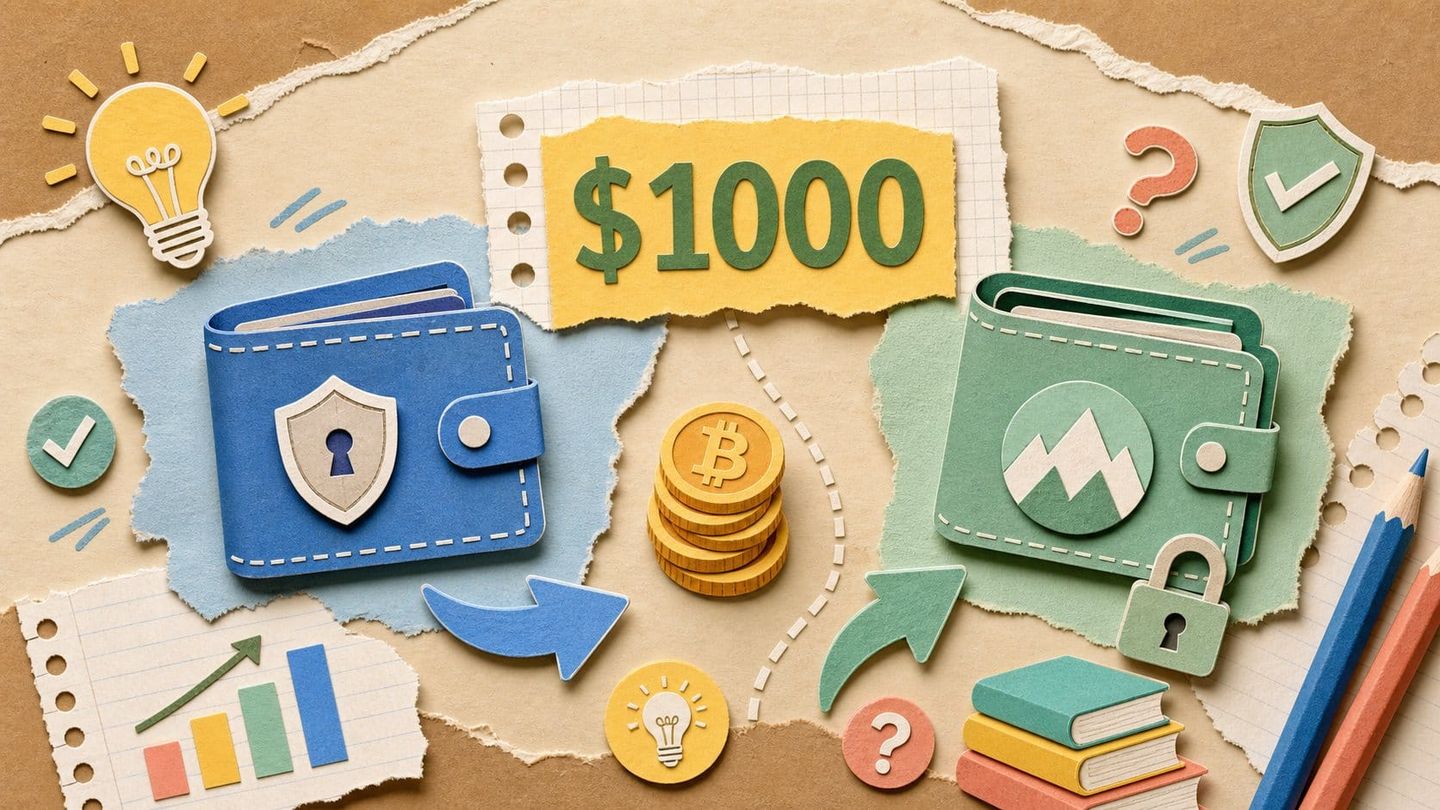
The $1,000 rule is a rough industry threshold: below about $1,000 in crypto holdings, a reputable hot (software) wallet is generally acceptable, but above that level the cost-benefit of hardware storage shifts decisively toward cold storage . Most beginner guides now converge on the same conclusion: the real decision is not "which single wallet," but when to add a paired cold device as your balance grows .
The threshold is not arbitrary — it reflects a simple trade-off between a fixed device cost and the expected loss from a hot-wallet compromise. Cold wallets keep private keys offline on a physical device and cost roughly $50–$500, the range widely described as the "gold standard" for long-term holding . Against a $1,000 balance, that is 5–50% of your stack — a meaningful bite. Against a $10,000 balance, the same one-time fee is trivial. As holdings compound, the cost of protection shrinks toward a rounding error while the amount you stand to lose keeps climbing.
The two wallet types also differ sharply in friction:
- Hot wallets are internet-connected apps — mobile, browser extension, or desktop — that are free and instant to set up, ideal for trading, DeFi, and NFTs, but more exposed to phishing, malware, and "drainer" scripts .
- Cold wallets require buying a physical device, completing firmware setup, and deliberately signing each transaction on the hardware — more steps, but private keys never touch an internet-connected machine .
That extra friction is exactly what the $1,000 rule is pricing in. Below the threshold, the convenience and zero cost of a hot wallet reasonably outweigh the tail risk of a drainer attack. Above it, a one-time $50–$500 outlay buys offline key protection whose value only grows — which is why the mainstream recommendation is to start simple, keep large balances off custodial exchange accounts, and upgrade to a paired hot-plus-cold setup as your holdings climb . The sections that follow break down exactly which wallets fit each side of that line.
Hot Wallets vs. Cold Wallets: What Actually Differs
The core difference is where your private keys live and how transactions get signed. A hot wallet is software — a mobile app, browser extension, or desktop client — that keeps your keys on an internet-connected device, making it free and instant to use. A cold wallet is a physical device that stores keys offline and forces every transaction to be confirmed on the device's own screen. That single distinction — online signing versus offline signing — drives every downstream trade-off in cost, convenience, and risk.
Hot wallets win on speed and cost. They are free to download, open in seconds, and connect directly to exchanges, DeFi protocols, and NFT marketplaces. MetaMask, the standard entry point for Ethereum and EVM chains, reports more than 30 million monthly users and in 2026 added native Bitcoin support [ref]. The cost of that convenience is exposure: because the keys sit on a connected device, hot wallets are the primary target for phishing pages, malware, and "drainer" scripts — malicious code that tricks a user into approving a transaction that silently empties the wallet.
Cold wallets close that specific gap by isolating the signing step from the internet. The keys never leave the device, and no transaction executes until you physically press a button to confirm it. Ledger and Trezor both use bank-card-grade secure chips, and the flagship Ledger Flex ($249) drives its E-Ink touchscreen from the secure chip itself, so what you read on screen is what you are actually signing — a defense against screen-spoofing malware [ref].
That clear-signing capability matters because, in 2026, the biggest beginner failure is rarely a "hacked" wallet — it is a user authorizing a malicious transaction they did not fully understand. A device that shows the exact destination, amount, and contract call before you confirm turns a blind approval into an informed one. Notably, the connection method itself is a smaller factor than many assume.
"Air-gapping — QR codes and SD cards instead of Bluetooth, NFC, or USB — mainly adds steps and button presses rather than materially improving safety; the connection type does not meaningfully change a wallet's security," concluded a review by security firm Shift Crypto (source: Cyber Scrilla).
The two categories are not mutually exclusive — the strongest beginner setup uses both. Ledger and Trezor can each connect to MetaMask as a hardware signer, so your keys stay protected offline while you keep the agility of a hot wallet for trading and DeFi (video: Cyber Scrilla) [ref]. In that arrangement, the browser extension handles the interface and the hardware device handles the one job that actually protects your funds: verifying and authorizing what gets signed.
Best Software Wallets for Beginners in 2026
Software wallets are free, internet-connected apps — mobile, browser extension, or desktop — that hold your keys on your own device and let you trade, stake, and connect to DeFi in minutes. For most first-time buyers they are the right starting point: no purchase, no shipping, instant access. The six below are the most-cited beginner picks for 2026, and they differ mainly in which chains they cover, how they handle recovery, and where they came from.
MetaMask remains the standard entry point for Ethereum and EVM chains, serving more than 30 million monthly users . It is the wallet most DeFi protocols, NFT marketplaces, and dApps expect you to have, so learning it early removes friction almost everywhere. In 2026 MetaMask added native Bitcoin support, widening it beyond its EVM roots . It also pairs with a hardware device for offline signing — the exact setup described above — which makes it a wallet you can grow into rather than outgrow. Best first wallet for anyone whose main interest is DeFi.
Trust Wallet is the most-cited newcomer pick for people who want one app for everything. It covers 110+ blockchains, includes a built-in dApp browser and in-app staking, and is fully free . That breadth means beginners exploring multiple ecosystems rarely need a second wallet just to hold an unusual token. Best for multi-chain beginners who value coverage over specialization.
Phantom began as the polished, Solana-native option and is now a genuine multi-chain wallet covering major networks alongside Solana . Its interface is widely regarded as one of the cleanest for newcomers, and its history means Solana dApps and NFTs work seamlessly. Best for users whose activity centers on Solana but who still want reach into other chains.
Zengo takes a different approach to the single biggest beginner failure point: the lost recovery phrase. It removes the seed phrase entirely, using MPC-based recovery that splits your key material between your device and an encrypted cloud backup . There is no 12-word list to write down, misplace, or have stolen. Best for beginners whose main fear is losing a recovery phrase and locking themselves out.
Coinbase Wallet is the natural next step for the large group of users who bought their first crypto on the Coinbase exchange. It is a separate, self-custody app — distinct from your exchange balance — that makes moving from custodial holding to holding your own keys about as smooth as that transition gets . Best for anyone already comfortable in the Coinbase ecosystem who wants to take custody without relearning everything.
Exodus rounds out the list for desktop-first users. It pairs multi-asset support with built-in portfolio tracking, so you can watch balances and allocation from one screen rather than juggling a separate tracker . Best for people who manage crypto mostly from a computer and want a tidy overview alongside their wallet.
One caveat applies to all six: being free and convenient is also what makes hot wallets more exposed to phishing, malware, and drainer scripts. That trade-off is fine while balances are small — and it is exactly why the pairing option matters. MetaMask, in particular, lets you keep the same familiar interface while a hardware device takes over signing once your holdings justify it, which is where the next section picks up.
Best Hardware Wallets for Beginners in 2026
The most beginner-friendly hardware wallets in 2026 are Ledger and Trezor, with Tangem, BitBox02, SafePal, and Cypherock filling specific niches. A hardware (cold) wallet is a physical device that keeps your private keys offline and signs transactions without ever exposing them to an internet-connected computer. Prices run from roughly €40 to $249, and the right pick depends less on raw specs than on how you want to handle recovery and how many chains you hold.
Ledger is generally treated as the most beginner-friendly cold brand, largely because its Ledger Live companion app lets you buy, swap, and stake directly in one place rather than juggling third-party tools . Trezor, built by SatoshiLabs and the first commercial hardware wallet, appeals instead to transparency-focused users through fully open-source firmware and hardware . Here is how the leading options compare:
- Ledger Nano S Plus (~€40.83, June 2026) — the budget entry to cold storage. It signs offline and plugs into the same Ledger Live ecosystem as the pricier models, making it the cheapest way into the most beginner-friendly cold setup .
- Ledger Flex ($249) — the flagship pick. It carries a CC EAL6+ certified Secure Element and an E-Ink touchscreen driven by the secure chip itself, which prevents screen-spoofing attacks, and supports 15,000+ assets. That clear, tamper-resistant display is why it is valued for verifying exactly what you sign .
- Trezor Safe 3 ($59) and Safe 5 ($129) — the transparency-first choice. Both run fully open-source firmware and support Shamir Backup (SLIP-39) for splitting your recovery across multiple shares; the Safe 5 adds an EAL6+ chip and covers 9,000+ assets. Trezor lacks Bluetooth and native staking, a fair trade for its openness .
- Tangem (~$54.90 for three NFC cards) — best for users who want no recovery phrase at all. It is a seedless, EAL6+ rated card set where the three cards provide physical redundancy instead of a written seed, tapped to your phone over NFC .
Beyond the mainstream, a few devices are worth knowing. BitBox02 ($172) is a dual-chip, fully open-source signer focused on Bitcoin and Ethereum; SafePal S1 Pro ($89.99) uses EAL6+ security with air-gapped QR-code signing; and Cypherock X1 eliminates the seed phrase entirely by using Shamir's Secret Sharing across a main device and four card shards, so any two of the five components can recover the wallet . Keystone is another air-gapped QR option pitched at first-timers.
One reassurance for newcomers weighing air-gapped versus USB devices: security researcher analysis from Shift Crypto found that air-gapping adds steps and button presses without materially improving safety, meaning the connection type does not decide how secure your keys are (video: Cyber Scrilla). Crucially, Ledger and Trezor can both connect to MetaMask as a hardware signer, so you can keep the hot-wallet interface you already know while the device protects the keys — the paired setup the previous section pointed toward .
Side-by-Side Comparison: Top Picks Across Price and Use Case
The fastest way to choose is to line the shortlist up against the four factors that actually change your risk and cost: wallet type, price, the security-chip rating, and whether a seed phrase is required. Across the 2026 beginner field, price maps cleanly to use case — $0 hot wallets suit active trading and DeFi, roughly $55–$90 entry cold wallets cover long-term holding, and $129–$249 flagship cold devices serve larger holdings that justify advanced features such as touchscreens or open-source auditing . The table below distills the top picks so you can match one to your own balance and habits.
| Wallet | Type | Price | Supported chains/assets | Security chip | Seed phrase | Best for |
|---|---|---|---|---|---|---|
| MetaMask | Hot (software) | Free | Ethereum/EVM + Bitcoin (2026) | None (device-based) | Required | DeFi, EVM trading, hardware pairing |
| Trust Wallet | Hot (software) | Free | 110+ blockchains | None (device-based) | Required | Broad multi-chain newcomers |
| Zengo | Hot (MPC) | Free | Multi-chain | MPC key shares | No seed phrase | Users who fear losing a seed |
| Tangem | Cold (NFC card) | ~$54.90 / 3 cards | Multi-chain | EAL6+ | Optional (seedless) | Simplest tap-to-sign cold entry |
| Trezor Safe 3 | Cold (hardware) | $59 | 9,000+ assets | EAL6+ | Required (Shamir option) | Budget open-source purists |
| SafePal S1 Pro | Cold (air-gapped) | $89.99 | Multi-chain | EAL6+ | Required | QR air-gap fans |
| Trezor Safe 5 | Cold (hardware) | $129 | 9,000+ assets | EAL6+ | Required (Shamir option) | Transparency + touchscreen |
| BitBox02 | Cold (hardware) | $172 | Bitcoin/Ethereum focus | Dual-chip | Required | Open-source BTC/ETH holders |
| Ledger Flex | Cold (hardware) | $249 | 15,000+ assets | EAL6+ | Required | Large holdings + secure E-Ink screen |
Three differentiators are worth surfacing before you commit. First, chip rating: most consumer cold wallets ship an EAL5 or EAL6+ certified secure element — the same class of chip used in bank cards — with EAL6+ being the highest tier found in consumer devices . Second, firmware philosophy: Trezor and BitBox02 are fully open-source and auditable, while Ledger keeps a proprietary secure-element design, a genuine trade-off between transparency and its certified chip . Third, connectivity and staking: the Nano X and Zengo offer Bluetooth, SafePal and Keystone rely on air-gapped QR signing, and native in-app staking is a Ledger strength that Trezor lacks .
Do not let the air-gap column sway you on security grounds alone. As security firm Shift Crypto put it, "the connection type does not materially affect security" — its research found that air-gapped QR and SD-card signing adds setup complexity, more steps and more button presses, without measurably improving safety versus a USB connection (video: Cyber Scrilla). Read the price column as a proxy for use case rather than for protection: a free hot wallet is right for active traders, a $55–$90 device is enough for most long-term holders, and the $129–$249 flagships earn their premium only when your balance and feature needs justify a certified screen or advanced backup.
How to Pick the Right Wallet for Your Situation
The right wallet is the one that matches how you actually use crypto, and the deciding variables are three: how often you sign transactions, how much you hold, and how much you trust yourself to safeguard a recovery method. There is no single best answer — an active DeFi trader and a buy-and-hold saver have opposite needs. Below is a situation-by-situation framework built from the picks covered earlier, so you can map your own profile to a concrete starting point rather than a generic recommendation.
Quick Answer: Active traders should use a hot wallet like MetaMask or Phantom for speed; holders under $1,000 can stay on a reputable hot wallet such as Trust Wallet or Zengo; holders over $1,000 should pair a Ledger Nano S Plus or Trezor Safe 3 with their hot wallet. Never park large balances on a custodial exchange.
| Your situation | Recommended setup | Why |
|---|---|---|
| Active trader / DeFi user | Hot wallet — MetaMask or Phantom | You sign frequently and need fast access; cold storage slows every action |
| Long-term holder, under $1,000 | Reputable hot wallet — Trust Wallet or Zengo | Convenience outweighs a device cost that rivals your holdings |
| Long-term holder, over $1,000 | Hardware — Ledger Nano S Plus or Trezor Safe 3 — paired with a hot wallet | Bulk of funds sit offline; hot wallet stays for day-to-day use |
| Fears losing a seed phrase | Zengo (MPC recovery) or Tangem (NFC card set) | Removes or duplicates the single point of failure |
If you trade actively or spend time in DeFi, a hot wallet is the correct tool, not a compromise. MetaMask — the standard EVM entry point with more than 30 million monthly users — and the multi-chain Phantom let you approve transactions in seconds. Forcing every swap through a hardware device adds friction you will resent. Keep only working capital here and treat it as a checking account, not a vault.
For long-term holders under the $1,000 threshold, a reputable hot wallet such as Trust Wallet or Zengo is sensible: paying $50–$130 for a device that guards less than that amount is poor economics. Discipline substitutes for hardware — keep the app updated, use a fresh wallet address, and never share your seed phrase. Once holdings cross $1,000, pair a hardware signer with your existing hot wallet: the Ledger Nano S Plus, listed around €40.83 as of June 2026 , or the Trezor Safe 3 at $59 are affordable entry points. Move the bulk of your stack to cold storage and leave a spending balance hot.
If your real fear is fumbling a recovery phrase — the most common beginner failure — choose a design that removes the single point of failure. Zengo uses MPC recovery split between your device and an encrypted backup, so there is no seed phrase to lose . Tangem's NFC card set, roughly $54.90 for three cards , provides physical redundancy instead.
One rule applies to every profile: do not leave large balances sitting on a custodial exchange account. With Bitcoin trading in the roughly $109,000–$120,000 range in 2026 (video: Altcoin Daily), even a fractional position crosses the $1,000 line fast — which means the self-custody decision arrives sooner than most first-time buyers expect.
Security Fundamentals Every Beginner Must Know in 2026
The most important security decision in crypto is not which wallet you buy — it is how you protect the recovery method behind it. Your seed phrase (also called a recovery phrase) is the 12–24 word master key that regenerates your entire wallet on any device. Write it on paper, store it offline, and never photograph it or type it into a website; anyone who reads it controls your funds, and losing it means permanent, unrecoverable loss of access. Every other safeguard below is secondary to getting this one habit right.
Hardware security has narrowed the gap between beginner mistakes and catastrophe. Most consumer cold wallets now ship with an EAL5 or EAL6+ certified Secure Element — the same class of chip used in bank cards and passports, designed to resist both physical extraction and remote attacks . EAL6+ is the highest rating found in consumer devices and appears in the Ledger Flex, Trezor Safe 5, Tangem, and SafePal S1 Pro . Notably, one study by security firm Shift Crypto found that air-gapped designs add steps and button presses without materially improving safety over USB — the connection type is not where your risk lives (video: Cyber Scrilla).
Where your risk actually lives, in 2026, is phishing and drainer scripts — the number-one real-world attack vector. Malicious apps and wallet-connect popups trick users into signing transactions that quietly drain funds, which is why the chip rarely fails but the human does . Hardware wallets with clear on-device transaction screens are the primary defense: they let you verify exactly what you are approving before you press confirm. A few habits close most of the gap:
- Read every transaction on the device screen — reject anything you did not initiate.
- Bookmark official app URLs; never click wallet links from ads, DMs, or search results.
- Revoke stale token approvals periodically and treat any "urgent" signing request as hostile.
The macro backdrop makes these habits more consequential each quarter. Spot Bitcoin ETFs bought roughly 500,000 BTC in 2025 against only about 165,000 BTC of new supply — near 3x annual issuance — while corporations added around 250,000 BTC, pushing institutional buyers to absorb Bitcoin at roughly 4x the daily mining rate (video: Coin Bureau). "ETFs bought roughly 500,000 Bitcoin in 2025 against only about 165,000 of new supply — that is roughly three times annual issuance," said Matt Hougan, Chief Investment Officer at Bitwise. Regulation advanced alongside the flows: the GENIUS Act for stablecoins passed in 2026, and the stablecoin market — around $250 billion, mostly on Ethereum — is projected by Treasury Secretary Bessent to potentially reach $4 trillion .
The concrete takeaway: as more first-time buyers acquire assets, self-custody stops being optional. Match a free hot wallet to your trading activity, move anything you cannot afford to lose to a Secure Element device, and guard the seed phrase as the single point of failure it is. Do that, and the $1,000 rule becomes less a spending threshold than a discipline — the moment you start treating your keys, not your app, as the thing worth protecting.
Frequently asked questions
What is the $1,000 rule for crypto wallets?
The $1,000 rule is the industry consensus that you should upgrade from a free hot (software) wallet to a hardware (cold) wallet once your holdings pass roughly $1,000. Below that level, a free app like Trust Wallet or MetaMask is proportionate to the risk. Above it, the math shifts: a hardware wallet costs only about $50–$250 , which becomes negligible relative to what you are protecting, while the attack surface of an internet-connected app — phishing, malware, and drainer scripts — turns into a meaningful financial risk. The rule is less a spending threshold than a discipline: at $1,000, offline key storage stops being optional.
Is MetaMask safe for beginners in 2026?
MetaMask is safe for its intended use — DeFi, trading, and small-to-medium holdings — provided you use it carefully, but it remains a hot wallet exposed to phishing and drainer scripts. It stays the standard entry point for Ethereum and EVM chains, with more than 30 million monthly users . In 2026 it added Bitcoin support and can pair with a hardware device for offline signing . For larger balances, connect it to a Ledger or Trezor so private keys never leave the device.
What happens if I lose my hardware wallet?
Your funds are recoverable as long as you still have your recovery method — a seed phrase, or Shamir Backup shards on devices like Trezor, Cypherock, and Tangem. Simply buy a replacement device and restore from your backup. The device itself holds no funds; the seed phrase is the wallet. That is why securely storing the recovery phrase matters far more than protecting the hardware. Some options add physical redundancy: Cypherock X1 splits keys via Shamir's Secret Sharing across a main device and four card shards, where any two of five recover the wallet .
Do I need a seed phrase with every crypto wallet?
No — several 2026 wallets are built specifically for beginners who fear losing a recovery phrase. Zengo removes the seed phrase entirely, using MPC-based recovery split between the device and an encrypted backup . Tangem replaces it with NFC card redundancy across a set of three physical cards (about $54.90) . Cypherock uses Shamir's Secret Sharing across a device and four card shards. These seedless designs trade the single-point-of-failure phrase for distributed physical backups.
Is Ledger or Trezor better for beginners?
Ledger edges out for most beginners because the Ledger Live companion app lets you buy, swap, and stake in-app without third-party tools, and it supports 15,000+ assets . Trezor, made by SatoshiLabs, is preferred by users who prioritize fully open-source firmware and hardware plus Shamir Backup, though it lacks Bluetooth and native staking . Entry pricing is similar: the Ledger Nano S Plus lists around €40.83 as of June 2026, and the Trezor Safe 3 at $59 .
Can I use both a hot wallet and a hardware wallet together?
Yes — pairing the two is the recommended setup for most retail investors. MetaMask, for example, can connect to a Ledger or Trezor as a hardware signer: you interact with DeFi through the familiar MetaMask interface, but your private keys never leave the hardware device, and every transaction requires physical confirmation on the device screen . This blends hot-wallet agility with cold-storage key protection, which matters because in 2026 the biggest risk is usually approving a malicious transaction rather than the wallet itself — devices with clear transaction screens let you verify exactly what you are signing .
Watch / Sources
- Cyber Scrilla — How to Choose the BEST Cold Wallet for 2026
- Coin Bureau — The ULTIMATE 2026 Crypto Portfolio STRATEGY!!
- Altcoin Daily — How I Would Invest $1000 in Crypto as a Beginner (2026 Guide)
Enjoyed this article? Subscribe to get new stories by email whenever they're published.